
Introduction
PowerGSLB is a simple DNS based Global Server Load Balancing (GSLB) solution.
Main feature:
- Quick installation and setup
- Written in Python 2.7
- Built as PowerDNS Authoritative Server Remote Backend
- Web based administration interface using w2ui
- HTTPS support for the web server
- DNS GSLB configuration stored in a MySQL / MariaDB database
- Master-Slave DNS GSLB using native MySQL / MariaDB replication
- Multi-Master DNS GSLB using native MySQL / MariaDB Galera Cluster
- Modular architecture
- Multithreaded architecture
- Systemd status and watchdog support
- Extendable health checks:
- ICMP ping
- TCP connect
- HTTP request
- Arbitrary command execution
- Fallback if all the checks failed
- Weighted (priority) records
- Per record client IP / subnet persistence
- DNS GSLB views support
- All-in-one Docker image
We setup 2 server as a DNS server
Environment
OS Centos 7
2 Server with IP :
ns1: 103.150.103.246
ns2: 103.150.86.43
Private Nameserver
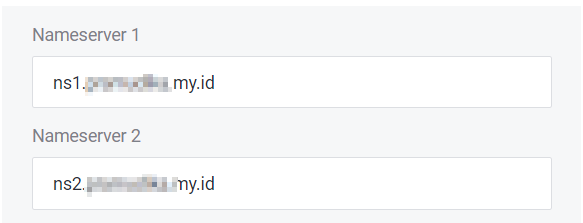
Access your provider DNS Management, in nameserver settings select to Private/Child nameserver.
Add your server to Private nameserver, for example:
Install PowerGSLB (on both server)
because PowerGSLB using PowerDNS for remote-backend, install PowerDNS too
yum -y install epel-release
yum -y update
yum -y install python2-pip

pip install pyping

VERSION=1.7.4
yum -y --setopt=tsflags= install \
    "https://github.com/AlekseyChudov/powergslb/releases/download/$VERSION/powergslb-$VERSION-1.el7.noarch.rpm" \
    "https://github.com/AlekseyChudov/powergslb/releases/download/$VERSION/powergslb-admin-$VERSION-1.el7.noarch.rpm" \
    "https://github.com/AlekseyChudov/powergslb/releases/download/$VERSION/powergslb-pdns-$VERSION-1.el7.noarch.rpm"

sed -i 's/^password = .*/password = your-database-password-here/g' /etc/powergslb/powergslb.conf

cp /etc/pdns/pdns.conf /etc/pdns/pdns.conf~
cp "/usr/share/doc/powergslb-pdns-$VERSION/pdns/pdns.conf" /etc/pdns/pdns.conf
Don’t forget to change your DB Password
The latest version PowerGSLB is 1.7.4 you can get all version in Here
Setup MariaDB (on both server)
Because default mariadb version in centos 7 is 5.x it’s old version, so install the 10.x version
Add MariaDB repo
vim /etc/yum.repos.d/MariaDB.repo[mariadb]
name = MariaDB
baseurl = http://yum.mariadb.org/10.9/centos7-amd64
gpgkey=https://yum.mariadb.org/RPM-GPG-KEY-MariaDB
gpgcheck=1Update repository
yum update Install MariaDB
yum -y install MariaDB

sed -i '/\[mysqld\]/a bind-address=your-ip\ncharacter_set_server=utf8' /etc/my.cnf.d/server.cnf

systemctl enable mariadb.service
systemctl start mariadb.service
systemctl status mariadb.service

mysql_secure_installation

VERSION=1.7.4
mysql -p << EOF
CREATE DATABASE powergslb;
GRANT ALL ON powergslb.* TO powergslb@localhost IDENTIFIED BY 'your-database-password-here';
USE powergslb;
source /usr/share/doc/powergslb-$VERSION/database/scheme.sql
source /usr/share/doc/powergslb-$VERSION/database/data.sql
EOF
Change bind-address to your server IP/Public (0.0.0.0), because we setup replication ns1 and ns2 mysql service must be reachable on both server.
Don’t forget to change DB Password same as in powergslb configuration
Setup Database replication, you can read here
Final
Start powergslb service
systemctl enable powergslb.service pdns.service
systemctl start powergslb.service pdns.service
systemctl status powergslb.service pdns.service
Testing with dns-tools
yum install bind-utils -ydig @127.0.0.1 example.com A ;; ANSWER SECTION: example.com. 300 IN A 192.0.2.104 example.com. 300 IN A 192.0.2.102 example.com. 300 IN A 192.0.2.103 example.com. 300 IN A 192.0.2.101